.png)

Standardized precision without the price tag
Autodesk DWG TrueView is a free desktop application developed by Autodesk that allows users to view, plot, and convert .DWG and .DXF files—the native formats for AutoCAD. Geared toward professionals who need to collaborate on CAD projects without owning a full AutoCAD license, allowing users to view projects without owning any Autodesk apps.
Top Recommended Alternative

Autodesk DWG TrueView is a powerful graphic and design utility for architects, engineers, and designers alike. While it doesn’t offer editing tools, it provides an essential bridge between design contributors and project managers who need to review CAD data with accuracy.
Perfect Autodesk file viewer for everyone
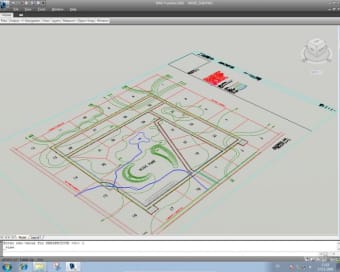
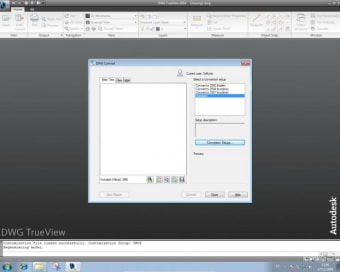
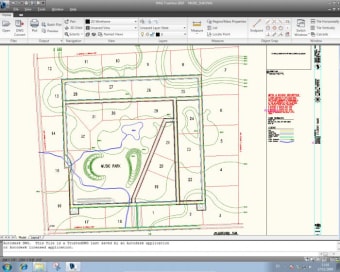
Autodesk DWG TrueView enables users to open and inspect complex AutoCAD drawings with full fidelity, including layers, layouts, and metadata. One of its most useful features is the DWG Convert tool, which lets users batch convert files to older versions for backward compatibility. Users can also measure distances, toggle layer visibility, and print drawings in high quality. However, the app doesn’t support markups or comments, limiting design feedback.
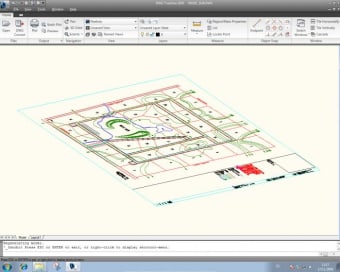
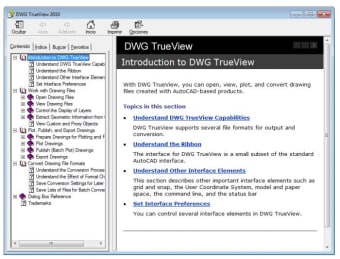
The interface mirrors traditional Autodesk software, with a ribbon-style toolbar and dark theme options. For AutoCAD veterans, the layout feels familiar, but new users might face a slight learning curve due to technical labeling and a lack of interactive guidance. On the performance side, the app runs reliably and handles large files well, though it can feel sluggish on lower-end machines, which can be a downside for casual users.
Simple, functional, reliable
DWG TrueView is most effective as part of a larger CAD workflow. It integrates well with Autodesk's cloud ecosystem and is ideal for previewing files before importing them into more advanced design software. However, it doesn’t allow editing or collaboration features like markup or cloud annotations. Moreover, installation is relatively heavy for a viewer-only tool, taking up several gigabytes of disk space, making it poor accessibility-wise.
This app’s strength is its regular updates and quick fixes, addressing serious issues such as OpenSSL vulnerability, updating critical libraries, improving security and stability. TrueView continues to be updated to maintain compatibility with the latest DWG file standards and to address security concerns. This version also updated system requirements and notes that point‑cloud file viewing requires graphics cards supporting OpenGL 3.3 (or later) for proper visualization; this is a step toward better security and a better ecosystem.
A reliable viewing companion for CAD professionals
Autodesk DWG TrueView is an indispensable tool for professionals needing precise access to AutoCAD files without the cost of a full license. Its robust viewing and conversion capabilities make it ideal for project managers, reviewers, and stakeholders. While it lacks markup tools and has a hefty install size, it remains a valuable asset in any CAD workflow that requires accurate visualization and compatibility.




















.png)